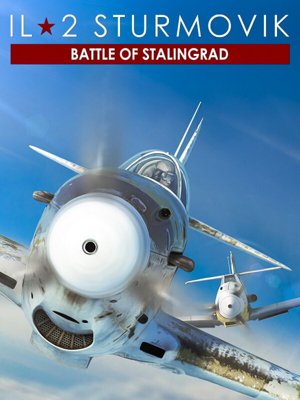
Fix FPS Drops in IL-2 Sturmovik: Battle of Stalingrad
Low FPS, stuttering, or random frame drops? Stop guessing, find out exactly what's wrong in 5 minutes.
downloadDownload HowManyFPSFree forever, under 50 MB, zero performance impactHowManyFPS Team · Updated · FPS from real gameplay sessions · Browse benchmarks
What Causes FPS Drops in IL-2 Sturmovik: Battle of Stalingrad
videocamGPU Bottleneck
Your GPU can't keep up with the graphics settings you're running. If GPU usage hits 99% while CPU sits lower, your GPU is the limit.
memoryCPU Bottleneck
Your CPU maxes out while your GPU sits idle. Common in open-world games, crowded multiplayer scenes, and CPU-heavy titles.
thermostatThermal Throttling
Your GPU or CPU gets too hot and slows itself down to prevent damage. FPS starts fine but drops after 10–20 minutes of play.
appsBackground Apps
Chrome tabs, Discord overlays, antivirus scans, apps you forgot about can eat CPU and RAM. HowManyFPS logs every process running during your session.
storageNot Enough RAM
When IL-2 Sturmovik: Battle of Stalingrad needs more RAM than you have, your system pages to disk and FPS tanks. Stuttering and long load times are common symptoms.
tuneWrong Settings
Settings like ray tracing, ultra shadows, or high draw distance can crush FPS on mid-range hardware. Compare your FPS against other players to find the sweet spot.
How to Increase Your FPS in IL-2 Sturmovik: Battle of Stalingrad
Download HowManyFPS
Free, under 50 MB, installs in under a minute. Works on any Windows 10/11 desktop or laptop.
downloadGet HowManyFPSPlay IL-2 Sturmovik: Battle of Stalingrad
Play normally. HowManyFPS records FPS, temps, and hardware usage in the background, under 1% CPU overhead.
View Your Benchmark Results
See exactly what's bottlenecking you (GPU, CPU, thermals, or background apps) and what to fix first.
IL-2 Sturmovik: Battle of Stalingrad FPS Troubleshooting FAQ
Why is my FPS low in IL-2 Sturmovik: Battle of Stalingrad?expand_more
How do I fix FPS drops in IL-2 Sturmovik: Battle of Stalingrad?expand_more
Why does IL-2 Sturmovik: Battle of Stalingrad stutter on a good PC?expand_more
Is my GPU or CPU the bottleneck in IL-2 Sturmovik: Battle of Stalingrad?expand_more
What FPS should I get in IL-2 Sturmovik: Battle of Stalingrad?expand_more
Why does my FPS drop randomly in IL-2 Sturmovik: Battle of Stalingrad?expand_more
Why is my FPS low in IL-2 Sturmovik: Battle of Stalingrad with a good PC?expand_more
IL-2 Sturmovik: Battle of Stalingrad stutters but my FPS is high, why?expand_more
Does HowManyFPS affect game performance?expand_more
IL-2 Sturmovik: Battle of Stalingrad System Requirements
| Minimum | Recommended | |
|---|---|---|
| OS | Windows 10 (64-bit) / Windows 11 (64-bit) | Windows 10 (64-bit) / Windows 11 (64-bit) |
| CPU | Core i5/i7 3+ GHz | Core i5/i7 3+ GHz |
| GPU | 4GB VRAM or better | 4GB VRAM or better |
| RAM | 16 GB | 16 GB |
| Storage | 95 GB | 95 GB |

Why Is My PC Slow in IL-2 Sturmovik: Battle of Stalingrad?
Join thousands of gamers already benchmarking their rigs.
Download HowManyFPSWindows 10/11, under 50 MB, always free